


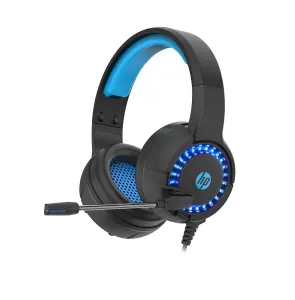
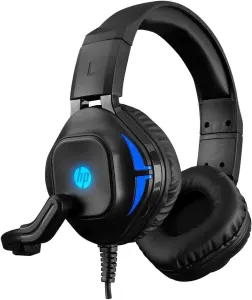
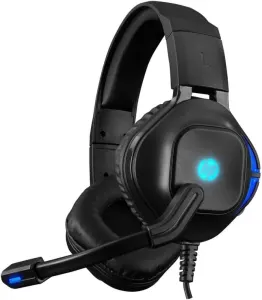
01OVER EAR HEADPHONES
Voice-activated tactile control for your home
A discreet pair of tactile controls that bridge physical touch and digital command. These small black devices sit quietly on a shelf or wall, ready to respond to a tap or a spoken word.
Designed for those who prefer tangible interaction with their connected devices, they allow you to trigger actions without reaching for a phone. Simply place them where your hand naturally falls.


02DESIGN
Compact form factor for flexible placement
Each unit measures just 34mm, making it unobtrusive enough to fit beside a light switch or under a desk lamp. The black plastic casing offers a matte finish that blends into most interiors, while the simple button layout invites immediate use without a learning curve.


04PRACTICALITY
Simple setup and lasting power
Installation requires only the included adhesive strip on the underside, securing the device firmly to smooth surfaces. The internal CR2 battery provides ultra-long life, reducing the need for frequent replacement. The package contains exactly two switches, ensuring a balanced setup for paired actions.
AT A GLANCE
The key points
- Includes two plastic push-button units in black
- Connects via Smart Life app for remote access
- Compatible with voice assistants for hands-free use
- Powered by CR2 batteries for extended operation
- Installs easily using adhesive backing on the base
About this product
Colour:White Material:plastic Size:34mm Package Contents: 2 x Switch Only the above package content, other products are not included. Note: Light reflection and different displays may cause the color of the item in the picture a little different from the real thing. The measurement allowed error is +/- 1-3cm.
[Voice Control of the Finger robot] The finger robot can be controlled through a voice device . [Timed ] You can set the time in the APP and the finger robot at a regular time. [Ultra-long battery life] The finger robot uses the CR2 battery, which has ultra-long battery life. [Convenient installation] Stick glue on the bottom of the finger robot, paste it in the required position, open the mobile phone APP for configuration and use.




Reviews
There are no reviews yet.